


HopSkipDrive CareDriver
4.6520.00 Reviews
App Specs
- Version
- 6.9.6
- Updated On
- License
- Free
- Downloads
- 500,000+
- Developer
- HopSkipDrive, Inc.
- Categories
- Business
- Platform
- Android
Screenshots

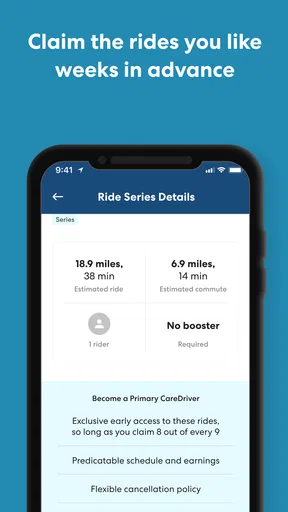
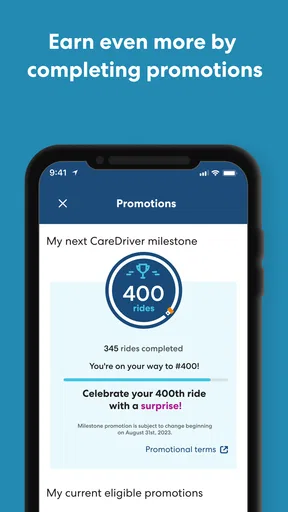
 Analysis by AppCompare
When I look at HopSkipDrive CareDriver, I see a business app built for a very specific kind of work rather than a general family transportation tool. It is the mobile application for CareDrivers working with HopSkipDrive, Inc., and that distinction matters from the first screen. I would not install it expecting a parent dashboard, a household ride planner, or a casual alternative to a standard taxi app. I would install it when my role involved providing scheduled transportation through the HopSkipDrive service and I needed a phone-based workspace for that responsibility.
That narrow purpose is also its biggest strength. The app feels easier to judge when I stop comparing it with ordinary passenger ride-hailing apps and instead think about the person behind the wheel who has to keep work-related trips organized. It belongs in the business category, costs nothing to download, and is rated for Everyone. HopSkipDrive CareDriver has reached over 500 thousand installs and holds an average rating of 4.6 from around 4 thousand ratings, which suggests that the intended audience generally finds value in it.
My overall impression is positive, but conditional: this is useful when you are already part of the CareDriver workflow, not when you are simply looking for a way to arrange rides for your own household. That boundary affects setup, shared-device use, trust, and the way I would recommend it to someone else.
What using it in a shared household actually means
The most realistic home scenario is not several people casually sharing one account. It is one person in the household using a personal or shared phone for driving work, while another family member may occasionally need the device for ordinary tasks. In that situation, the app becomes part of a work routine: check the phone before leaving, review the relevant trip information, keep the device available during the driving day, and return it to normal household use afterward.
I would treat that arrangement as a practical compromise rather than a seamless multi-user experience. A shared phone can make it easy to miss an important work notification if someone else is using the device, changing sound settings, or leaving it in another room. Even without inventing special controls, the sensible solution is simple: the CareDriver should have a clearly agreed time window for using the phone, and the household should know that the device may need to remain reachable during active work.
This is where the app differs from a family calendar or a passenger-facing transportation app. Those tools are designed around shared planning and visibility. HopSkipDrive CareDriver is centered on the driver’s role. I would not expect it to solve household scheduling by itself, and I would not use the driver app as a substitute for discussing pickup responsibilities, school timing, or backup plans with the people at home.
A useful habit is to separate work information from family conversation. Before starting a shift or accepting responsibilities, I would review the app privately, then tell the household only what they need to know: when the driver is unavailable, when the phone must stay accessible, and whether a change in plans could affect dinner, school pickup, or another commitment. That keeps the application focused and prevents the phone from becoming the only source of coordination.
Worth Reading Before You Choose

EA SPORTS FC Mobile 26 Is a Bigger Football Game, but It Takes Time

Flipboard Shows What News Apps Must Do Beyond the Feed

Switching to Android Auto Means Rethinking Your Driving Routine

Google Calendar Makes a Crowded Week Easier to Manage

Ludo King Makes the Most of the Minutes Between Plans

Baby Panda World Brings Quick Play to Modern Phones, but Its Game Library Feels Busy
Keeping the account tied to the right person
Account boundaries deserve more attention than they usually receive in a quick app review. Because this is a CareDriver application, I would keep the account associated with the person who is actually performing the driving work. I would not pass the login around among relatives, and I would not let a teenager or another household member use the driver account simply because the phone happens to be nearby.
That is not just a matter of tidiness. A business app represents a professional role, so mixing users can create confusion about who is viewing work information or responding to an in-app task. If two adults in the same home both drive through the service, I would prefer each person to use their own approved account and device arrangement rather than treating one account as a family resource.
Shared-device use can still work, but it requires discipline. I would lock the phone when handing it to someone else, avoid leaving the work session open in a public place, and make sure the CareDriver can quickly identify whether the app is showing current work or an old screen. I would also avoid using a family member’s phone as a permanent workaround. A driver needs predictable access, and an improvised arrangement can fail exactly when a message or schedule change matters.
The app is free, which removes one barrier for someone evaluating the tool, but free does not mean consequence-free. The real commitment comes from the driver role and the need to use the application responsibly. I would decide first whether the person is genuinely working as a CareDriver, then install the app, rather than downloading it merely to explore transportation options.
Setup is less about customization and more about readiness
My approach to setup would be deliberately boring. I would install the current version, which is 6.9.5, sign in with the correct driver account, and check that the phone is ready to display work-related information clearly. I would not spend time looking for family profiles or passenger tools, because that would send the setup in the wrong direction.
The minimum operating-system requirement is version 10, so compatibility is an early checkpoint for older phones. That is particularly important in a shared household, where the device used for work may be an older spare. If the phone cannot run the app properly, a family may waste time trying to turn an unsuitable device into a work phone. I would verify the operating system before reorganizing the household’s devices.
One of my practical recommendations is to perform the first login and any initial review when the driver is not rushing toward a scheduled responsibility. A calm setup makes it easier to notice whether the correct account is active, whether the driver understands the main workflow, and whether the device is comfortable to use while parked. I would never make the first serious test during a hurried departure.
Another useful boundary is to avoid treating the app as a place for everyone in the home to browse. The driver should know what is on screen and why. If a spouse or older child helps with reminders, that support can happen through an agreed household conversation or separate calendar system, while the CareDriver app remains with the person responsible for the driving activity.
Coordination works best when the app is one part of the routine
For me, the key question is not whether the app can replace every other planning tool. It is whether it gives the CareDriver a dependable place to handle the work assigned through HopSkipDrive. That makes the app most valuable at the points where a driver needs to move from general household planning into professional trip preparation.
Imagine a weekday morning in which one adult has a CareDriver responsibility and another adult is taking children to an unrelated appointment. I would check the driver app before the household gets busy, then compare the work timing with the family’s own plans. If there is a conflict, the household should discuss it early rather than assuming that checking the app once solves the problem. The app can support the driver’s side of the arrangement; it cannot make two competing obligations disappear.
I also prefer a two-step review: first look at the app when planning the day, then look again before leaving. This is a simple but non-obvious improvement over relying on memory. The first check helps with household coordination, while the second confirms that the driver is working from the current information. It reduces the risk of treating yesterday’s understanding as today’s plan.
When a phone is shared, I would add a physical routine. Keep the device in one known location before work, charge it before the driving period, and return it there afterward. These habits are not glamorous, but they matter more than decorative customization in a professional driver app. A household that cannot reliably locate the phone may experience more friction than a household using a less polished application on a dedicated device.
The trade-off is that HopSkipDrive CareDriver is purpose-built, so it may feel less flexible than a general scheduling tool. A calendar is better for seeing the whole family’s commitments. A messaging app is better for discussing a last-minute change with relatives. A conventional ride-hailing app is better for someone simply requesting a trip. I would use those alternatives alongside the driver app, not instead of it, because they solve different problems.
Age context and trust are part of the review
The Everyone content rating describes the app’s store classification, but I would not confuse that with a recommendation for every age group to operate the account. The important question is the user’s role and responsibility. A child may be able to encounter the app without the content being unsuitable, yet that does not make the child an appropriate person to manage a CareDriver account or work-related transportation tasks.
In a household with teenagers, I would explain that the app belongs to the adult or approved driver using it for business. I would not hand over the phone and say, “keep an eye on the app,” unless the driver has deliberately decided what assistance is appropriate. Trust here is about more than privacy. It is also about ensuring that the person making decisions understands the transportation responsibility attached to the information on screen.
This is another reason I would avoid shared logins. A household can trust one another and still benefit from clear boundaries. The driver should know who has access to the account, the phone should not be left unlocked unnecessarily, and other family members should not make changes or decisions on the driver’s behalf simply because they saw a notification.
For a relative who is uncomfortable with mobile work tools, the best support is usually a short guided walkthrough while parked. I would show the driver where the important information appears, how to recognize the active account, and how the app fits into the day’s routine. I would not turn that orientation into a promise that the application will manage every safety or family concern. The app supports the work process; it does not replace judgment, communication, or responsible driving.
Where it beats ordinary alternatives, and where it does not
Compared with a normal passenger ride app, HopSkipDrive CareDriver has a more professional focus. The ordinary passenger app begins with someone who wants transportation. This one begins with the person providing transportation through a specific service. That difference makes it more relevant for CareDrivers and much less relevant for a household member who only wants to request a ride.
Compared with a shared family calendar, the app should be judged on operational usefulness rather than household overview. A calendar can show school events, appointments, and dinner plans in one place. It is better for spotting clashes across the family. The CareDriver application is better positioned as the driver’s work tool, so I would not criticize it for lacking the broad planning view of a calendar; I would simply avoid asking it to perform that job.
Compared with paper notes or a basic messaging thread, a dedicated driver application is easier to keep connected to the professional role. Paper can be misplaced, and messages can become buried beneath unrelated conversation. On the other hand, a note or calendar may be faster for a family member who only needs a reminder. The most reliable household workflow is therefore complementary: the driver uses the app for driver-specific work, while the family uses its normal planning method for shared commitments.
The main limitation is specialization. If your need is occasional transportation for yourself, this is the wrong download. If you want parents, children, and caregivers to see one unified family itinerary, it is unlikely to be the right centerpiece. If your household depends on several people taking turns with one device, the arrangement may be workable but fragile. I would choose a more general planning tool for those situations and keep this app for the CareDriver role.
Who should use it and who should pass
I would recommend it to an approved or prospective CareDriver who wants the relevant work activity available on a phone and is willing to maintain a clear boundary between professional use and household use. It makes particular sense for someone whose day involves balancing driving responsibilities with family obligations, because checking the app can become part of a deliberate morning and pre-departure routine.
I would also recommend it to a household that can provide a reasonably dependable device arrangement. That does not require a complicated technology setup, but it does require agreement about who uses the phone, when it must remain available, and who is allowed to view the account. A dedicated phone is the cleanest option, while a shared phone can work if everyone respects the schedule and account boundary.
I would tell a casual passenger to skip it. I would also tell a family looking for parental controls, a shared ride board, or a universal transportation planner to look elsewhere. The app’s value comes from its connection to the CareDriver job, so downloading it without that context is likely to produce confusion rather than convenience.
HopSkipDrive CareDriver has been available since June 28, 2016, and its strong average rating indicates that it has found an audience among people who need this kind of tool. I would not treat the rating as proof that it fits every phone or household, but it is a useful signal that the app is not merely an obscure experiment. The developer, HopSkipDrive, Inc., has built it around a defined business use rather than trying to be everything to everyone.
My household verdict after weighing the trade-offs
After considering shared devices, account boundaries, coordination, and age context, I see HopSkipDrive CareDriver as a focused work companion. I like that its purpose is clear, and I appreciate that the free installation makes it easy for the intended driver to get started. The rating of 4.6 from roughly 4 thousand ratings also gives me confidence that many users find the experience worthwhile.
My reservation is not that it is too specialized; the specialization is the point. My reservation is that households may expect the app to coordinate everyone when it is really meant to support the CareDriver. If the family treats it as one piece of a larger routine, it can fit naturally. If everyone expects one shared login and one screen to manage all transportation decisions, the arrangement becomes messy quickly.
I would install it on the driver’s main phone, confirm that the device meets the operating-system requirement, and establish a simple household rule about access before relying on it. I would check the app during planning and again before leaving, keep family scheduling separate, and avoid letting children or unrelated users operate the driver account. Those small choices make a meaningful difference in a shared-device home.
My final recommendation is straightforward: use HopSkipDrive CareDriver if you are working within the HopSkipDrive CareDriver role and want a dedicated mobile place for that work. Do not choose it as a general family transportation app. For the right user, its focused design is an advantage; for everyone else, a calendar, messaging tool, or passenger ride service will be a better match. I would recommend it to the right driver, but only with clear household boundaries around the account and the phone.
Pros
- Flexible driving opportunities for qualified caregivers
- Designed around scheduled rides rather than on-demand trips
- Safety-focused screening and ride monitoring features
- Supports transportation for children and vulnerable passengers
- Clear trip details can simplify planning and coordination
Cons
- Driver eligibility requirements may be strict in some locations
- Availability is limited to supported service areas
- Ride schedules may not provide consistent daily income
- Additional vehicle standards can increase operating costs
- The app may require reliable GPS and mobile data during trips
FAQs for HopSkipDrive CareDriver
What is HopSkipDrive CareDriver, and who is it designed for?
HopSkipDrive CareDriver is a transportation platform for approved drivers who provide rides for children, teens, and other riders who may need dependable support. It is generally intended for caregivers, parents, school districts, social-service organizations, and transportation partners. The service is not simply a standard ridesharing app, so availability and eligibility can depend on the driver’s location and the organization arranging the ride.
What requirements must I meet to become a HopSkipDrive CareDriver?
Applicants typically need to satisfy several safety and eligibility requirements before they can drive. These may include meeting a minimum age, having a valid driver’s license, maintaining an eligible vehicle and insurance, passing background and driving-history checks, and completing required training. Requirements can vary by market and may change over time, so prospective drivers should review the current official criteria before downloading the app or beginning the application.
How does HopSkipDrive help protect children and vulnerable riders?
The platform is built around additional safety procedures rather than treating rides like ordinary on-demand trips. Depending on the ride and local program, CareDrivers may use identity verification, safety training, background screening, ride tracking, check-in procedures, and communication with authorized contacts. Parents, guardians, schools, or agencies may also receive trip updates. Exact safeguards and supervision arrangements vary, so users should confirm the policies for their specific service area.
Can parents, schools, or agencies use the app to schedule and monitor rides?
HopSkipDrive is commonly used by organizations and authorized caregivers to arrange transportation in advance, rather than only requesting an immediate ride. Scheduling, rider information, pickup instructions, notifications, and trip monitoring may be available through the applicable platform or account type. Features can differ between families, schools, and transportation partners, and some users may need an invitation or organization-managed account before they can access the service.
Where is HopSkipDrive CareDriver available, and is it free to download?
The CareDriver application may be free to download, but downloading it does not necessarily mean that rides or driver opportunities are available everywhere. HopSkipDrive operates only in selected regions, and coverage can depend on local partnerships, demand, and current program availability. Transportation costs, driver earnings, eligibility, and service terms are handled separately from the app download, so check the official listing and website for the latest regional information.


